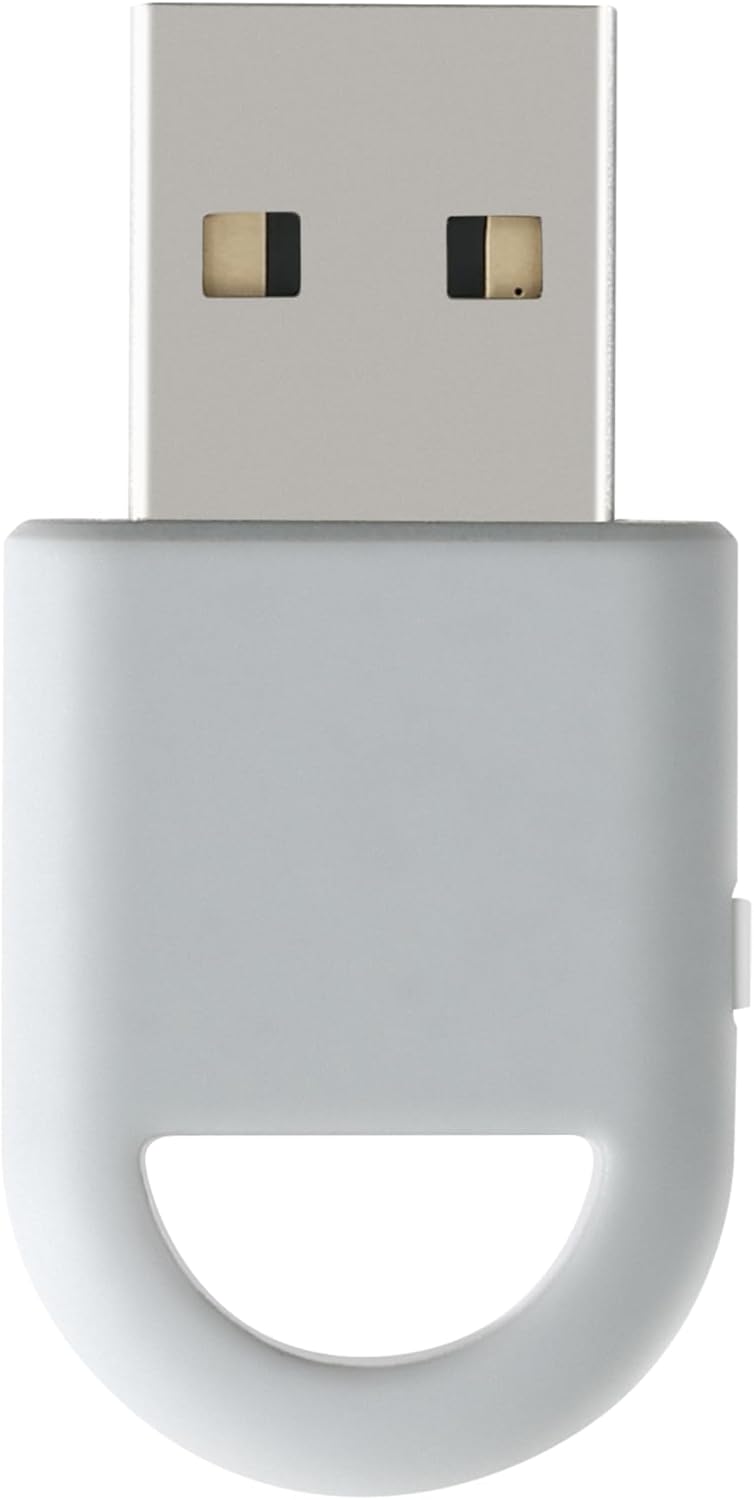
GuliKit Hyperlink 2 Wireless Adapter for Xbox One/Xbox Series X|S/Elite 2/PS5 Dual Sense/Edge/PS4/Switch Pro Controller-Play on PC & Switch/2 & Android & SteamOS, Plug & Play Converter

GuliKit Hyperlink 2 Wireless Adapter for Xbox One/Xbox Serie...

Limited time deal
£6.59
£7.99
HYPERLINK 2 TECHNOLOGY FOR MINIMAL DELAY: GuliK... read more

GuliKit Hyperlink 2 Wireless Adapter for Xbox One/Xbox Serie...

Limited time deal
£6.59
£7.99
18% off
HYPERLINK 2 TECHNOLOGY FOR MINIMAL DELAY: GuliK... read more
Get this deal

Details

  • HYPERLINK 2 TECHNOLOGY FOR MINIMAL DELAY: GuliKit Wireless Adapter with HyperLink 2 technology achieves a remarkable 2.95ms latency, significantly reducing delay and enhancing the polling rate. Compared to traditional Bluetooth connections, HyperLink 2 cuts latency by up to 50%, ensuring instant input registration. This delivers the smoothest gaming experience, making it ideal for fast-paced games.
  • WIDE COMPATIBILITY:The controller connector is compatible with a rang of controllers, including Xbox One Bluetooth, Xbox Series, Xbox Elite Series 2(Not for The Xbox One released betweern 2013 and 2015 & the Xbox Elite wireless controllers which without Bluetooth function), PS5 Dual Sense Edge, PS5 Dual Sense, PS4 Dual Shock, Switch Pro, GuliKit controller. It supports a variety of platforms, including Windows 7+, Android 9.0+, Switch, Switch 2, and SteamOS 3.4+. For Switch 2, enable "Wired Pro Controller Connection" in the System Settings. (For use with Steam Deck / AYANEO handhelds / ROG Ally&Ally X / Switch Lite, you will need an additional OTG cable or adapter.)
  • INSTANT PLUG & PLAY:Unlike other adapters that require extensive setup, the Plug & Play Hyperlink 2 converter makes connecting your controller a breeze. Simply plug it in, no software installation, no driver updates—just instant gaming.
  • SUPPORTS MOTION CONTROL & VIBRATION:The adapter enables motion control and vibration features on Switch/Switch 2 when used with PS4/PS5 controllers, providing a truly dynamic and responsive gaming environment.
  • HOW TO USE:1. Turn on the controller and hold the pairing button to enter pairing mode. (For PS4 & PS5 controllers, it is to hold the SHARE and PS logo button until the light flashes quickly to enter the pairing mode. ) 2. Plug the adapter into the USB port, and its indicator will flash rapidly to automatically enter pairing mode. (No button press required) 3. The adapter indicator turns constantly on, and the pairing is successful.
Get more details on this deals

deals365 contains affiliate links - we may earn a comission if you purchase through these links at no extra cost at you

Add Comment...

Download our FREE APP today

  • Never miss any of our top deals

  • Get deal alerts direct to your phone

  • 1000's of deals daily

  • Earn Reward Points

Join the Deals365 Whatsapp group

Scan the code and follow the instructions to join the Deals365 Whatsapp group. Then you will receive all the deals direct to your mobile.

Never miss a deal

Get all our latest deals and offers delivered direct to your inbox.

Never miss a deal